mazdek AI Keyboard: a Kurdish keyboard for iPhone and Android that adds the missing letters for you
A Kurdish system keyboard is now part of the mazdek AI app. Kurmancî, Soranî and Kirmanckî layouts, word suggestions, and autocorrect that turns “kurdistane” into “Kurdistanê” — in WhatsApp, Instagram, Telegram and every other app. Everything runs on the phone; nothing you type leaves it.
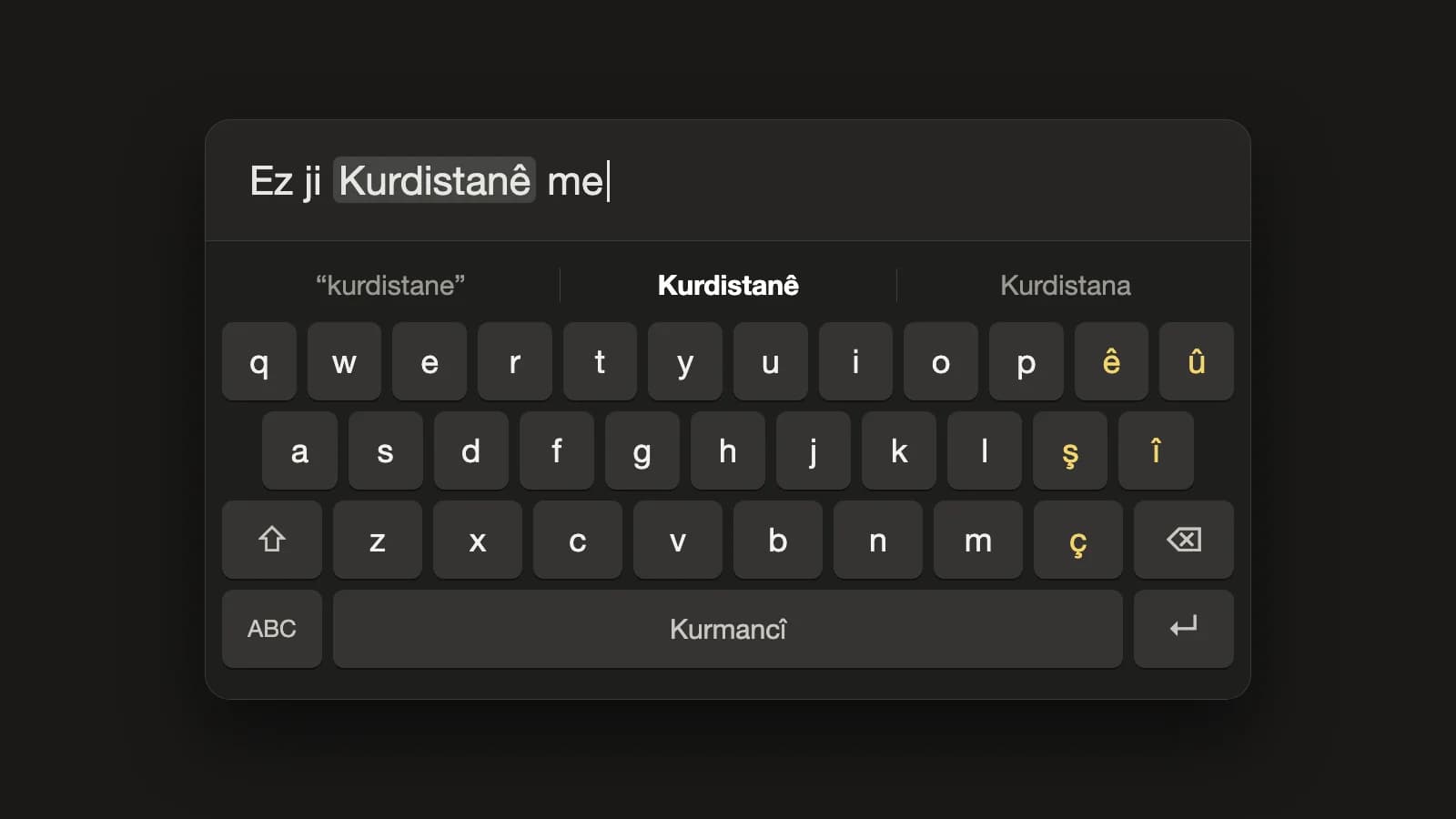
Most people who write Kurdish on a phone do it on a Turkish, English or Arabic keyboard. The letters that make a word Kurdish — ê, î, û, ş, ç — are hidden behind long presses, so they get dropped. Kurdistanê becomes kurdistane, hevalên becomes hevalen, and a message that was composed in Kurmancî arrives looking half-finished. Soranî writers face the opposite problem: an Arabic keyboard that has no ڵ, ڕ, ۆ or ێ at all.
mazdek AI Keyboard is our answer: a Kurdish system keyboard built into the mazdek AI app for iPhone and Android. Turn it on once and it is there in every app — WhatsApp, Instagram, Telegram, your mail — with the right letters on the keys, word suggestions as you type, and autocorrect that restores the missing letters when you finish a word.
What it does
| Three Kurdish layouts | Kurmancî (Latin, with ê û ş î ç on their own keys), Soranî (Arabic script, right to left, phonetic layout) and Kirmanckî/Zazakî (Kurmancî plus ı) |
| Suggestions | Three candidates above the keys while you type; words are completed as you go |
| Autocorrect | In Kurmancî, a word typed without its hats is fixed when you press space: kurdistane → Kurdistanê |
| Undo in one key | Backspace right after a correction gives you back exactly what you typed |
| Personal dictionary | Undo the same correction twice and the keyboard learns the word — on the phone, nowhere else |
| Private by design | No network code, no Full Access on iPhone, nothing learned in password fields |
The keyboard is included in mazdek AI version 1.2.6 and newer, free, on both platforms.
The letters that were missing
The Kurmancî layout follows the same rows as Apple's built-in Kurmanji keyboard, so if you have used that one your fingers already know where things are. The difference is what happens after you type.
Take the sentence a lot of people type exactly like this:
ez ji kurdistane me
Press space after each word and the keyboard turns it into Ez ji Kurdistanê me. It is not guessing from a list of common words: the suggestion engine is the same dictionary-and-rules engine behind Rastnivîs, mazdek AI's Kurdish spell checker, moved onto the phone. It knows the oblique endings, the plural -ên, the izafe, and which hat belongs on which vowel.
For Soranî, the layout is phonetic — each Kurdish letter sits on the Latin key that sounds like it, the way the Windows Central Kurdish keyboard works — and the extra letters ڵ ڕ ۆ ێ ە ھ ڤ پ چ ژ گ are on the keys, not hidden.
Kirmanckî (Zazakî) gets the Kurmancî layout plus ı. Autocorrect is off for it on purpose: the dictionary for Zazakî is still smaller, and a keyboard that corrects wrongly is worse than one that only suggests. You see the suggestions and you choose.
Autocorrect that knows when to stay quiet
An autocorrect that "fixes" a word you meant is the fastest way to make people switch it off. So before the keyboard applies a correction on its own, it has to be sure — and we measured what "sure" means.
On Kurmancî sentences from the Common Voice corpus, typed without hats and evaluated word by word:
| Kurmancî | |
|---|---|
| Hat-less words corrected automatically | 64.5 % |
| …of which correct | 99.5 % |
| Clean, correctly spelled words changed by mistake | 0.13 % |
| Wrong corrections among all applied corrections | below 1 % |
The threshold was chosen so that fewer than one in a hundred automatic corrections is wrong; anything less certain is offered as a suggestion instead of being applied.
Kurdish writers also mix languages constantly — a Turkish word in a Kurdish sentence, an English name, a quoted phrase. A word-only autocorrect would turn bu into bû and ben into bên. The keyboard looks at the words around it before touching anything: in Turkish and English sentences it leaves words alone, and a single foreign word inside a Kurdish sentence is not "Kurdified".
And if it does change something you wanted: one backspace undoes it. Twice for the same word and the keyboard remembers — that word goes into your personal dictionary on the phone and is never corrected again. You can clear the dictionary, or switch autocorrect off entirely, from the language-key menu.
Nothing leaves the phone
Keyboards see everything you type, which is exactly why this one was built to work with no connection at all.
- The dictionary, the suggestion engine and your personal words are all on the device. The keyboard has no network code, so it works in airplane mode and cannot send anything anywhere.
- On iPhone it does not ask for Full Access. Apple requires that permission for any keyboard that talks to the internet; this one does not need it, so it never asks.
- In password fields the keyboard learns nothing.
- It follows your phone's light or dark mode, and the keys carry labels for VoiceOver and TalkBack.
Turning it on
iPhone
- Install or update mazdek AI (version 1.2.6 or newer).
- Open Settings → General → Keyboard → Keyboards → Add New Keyboard and choose mazdek AI Keyboard. Full Access is not needed.
- In any app, hold the globe key and pick mazdek AI Keyboard.
Shortcut: in the app, go to Profile → Other tools → mazdek AI Keyboard and tap "Open Settings".
Android
- Install or update mazdek AI (version 1.2.6 or newer).
- In the app, open Profile → Other tools → mazdek AI Keyboard, tap Turn on and switch on mazdek AI Keyboard.
- Tap Choose keyboard and select it.
To change language or toggle autocorrect, hold the language key on the keyboard. The full step-by-step guide is at mazdek.ai/docs/keyboard.
What it does not do yet
We would rather say this here than have you find out:
- No voice typing on iPhone. Apple does not allow third-party keyboards to use the microphone, with or without Full Access. For dictation, use speech-to-text inside the mazdek AI app and paste the result.
- No swipe typing and no emoji panel — the globe key switches you to the system emoji keyboard.
- No translation key yet. Translating what you have typed, in place, is on the list; because it needs the network it will be opt-in when it arrives.
Get it
The keyboard is part of the free mazdek AI app for iPhone and Android. If your app does not show it yet, your store has not offered version 1.2.6 to you yet — check again after the next update. The landing page at mazdek.ai/kurdish-keyboard has the short version of everything above.
Write Kurdish the way it is spelled — in every app, without thinking about it.
Frequently asked questions
- Is the Kurdish keyboard free?
- Yes. mazdek AI Keyboard is free and comes with the mazdek AI app for iPhone and Android, version 1.2.6 or newer. It runs on your phone, so typing with it costs nothing and uses no quota.
- Does it need an internet connection?
- No. Suggestions, autocorrect and your personal dictionary all work on the phone, offline. The keyboard has no network code at all.
- Does it send what I type anywhere?
- No. Nothing you type leaves the phone. On iPhone the keyboard does not ask for Full Access, and it learns nothing in password fields.
- Which Kurdish dialects does it support?
- Kurmancî in Latin script, Soranî in Arabic script (right to left), and Kirmanckî (Zazakî) in Latin script with the extra letter ı. You switch between them by holding the language key.
- What if it corrects a word I wanted to keep?
- Press backspace right after the correction and the keyboard puts back exactly what you typed. Undo the same correction twice and it learns the word into your personal dictionary, which stays on the phone. You can also turn autocorrect off from the language-key menu.
- Can I use voice typing on the keyboard?
- Not on iPhone: Apple does not let third-party keyboards use the microphone. For voice, use speech-to-text inside the mazdek AI app and paste the result.
- I updated the app but I don't see the keyboard. Why?
- The keyboard ships with mazdek AI 1.2.6. If your store has not offered that version yet, check again after the next update. Once you have it, turn the keyboard on in Settings (iPhone) or from Profile → Other tools → mazdek AI Keyboard (Android).
Related articles
How to Turn Your Lyrics into a Kurdish Song with AI (Dengbêj, Govend, Lorî) in 2026
A practical guide to making a full Kurdish song from your own lyrics: how to structure verses and a chorus, which Kurdish styles to pick — dengbêj, govend, lorî, heyran, saz ballad — what the Standard and Awaza Kurdî modes are for, and what the free and paid plans include.
- #song-generator
- #kurdish-music
- #dengbej
How to Turn a Long Kurdish Video into Short Vertical Clips (TikTok, Reels, Shorts) in 2026
A practical guide to cutting short vertical clips from a long Kurdish interview, podcast or stream: how AI finds the best moments, how Kurmancî and Soranî karaoke captions work, which layouts fit which platform, and what the free and paid plans include.
- #video-clips
- #short-video
- #subtitles
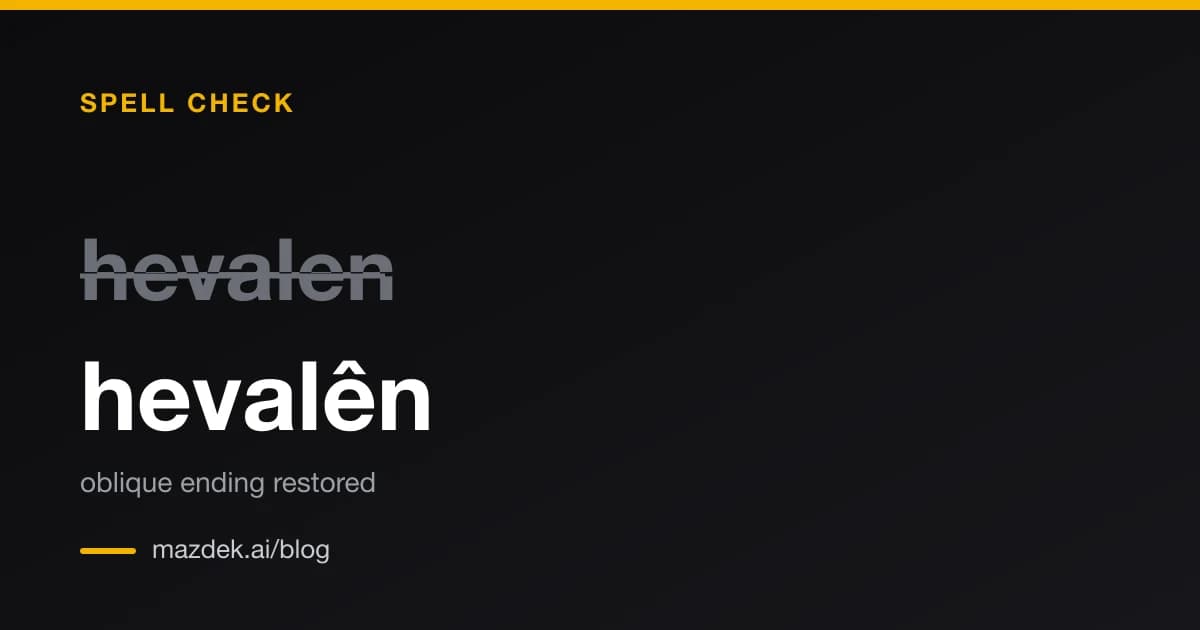
mazdek AI is now a Claude connector: Kurdish spell check, grammar and translation inside Claude
mazdek AI is live in Claude's connector directory. Claude can now spell-check Kurmancî, fix ergative mistakes, restore missing diacritics, convert Soranî between scripts, translate and transcribe — in one click, no API key.
- #claude
- #mcp
- #kurdish-ai